Best AI for Novel Writing: ShakespeareAI vs Alternatives
Table of Contents
- What You Need From an AI Writing Tool as an Author
- Best AI for Novel Writing: Quick Comparison
- ShakespeareAI: Complete Novels With Series Memory
- How to Use AI for Creative Writing Without Sounding Like a Robot
- AI Writing Tools With Long-Form Memory for Book Series
- Free vs. Paid AI Writing Tools: What's the Real Difference?
- AI Detection: Will Your Book Get Flagged?
- Workflow Integration: AI Tools That Work With Your Writing Software
- Who Should Pick Which Tool: A Decision Framework
- Common Mistakes Authors Make With AI Writing Tools
- Conclusion
What You Need From an AI Writing Tool as an Author
Writing a novel is hard work. Most people start with big dreams but stop halfway through because they run out of time, energy, or ideas. That's where AI writing tools come in, they help you finish your book faster without losing your voice or the quality readers expect.
Not all AI writing tools are built the same. Some are made for marketing teams. Others are made for authors writing long stories. The difference matters. When you're writing a 60,000-word novel, you need a tool that understands character consistency across chapters, remembers your world-building details, and generates prose that sounds like you, not a robot.
ShakespeareAI was built specifically for novelists. The core challenge isn't just generating text fast. It's generating text that stays true to your story, your characters, and your voice across an entire book or series. This guide breaks down what to look for in an AI writing tool, compares the real alternatives, and shows you how to use AI for creative writing without your manuscript sounding machine-made.
Best AI for Novel Writing: Quick Comparison
You have options when it comes to AI writing tools. Some are built for speed. Others focus on editing. A few are designed specifically for long-form storytelling. Here's what matters most:
Series memory is the biggest differentiator. If you're writing a fantasy series with five books, your main character needs to stay consistent across all of them. Their personality, speech patterns, and relationships all need to track. Most general-purpose AI tools forget details between chapters. Tools built for novels don't.
Genre tuning matters too. Fantasy has different pacing and conventions than romance, which is different from mystery. A tool tuned to your genre generates text that feels right for your story, not generic.
AI detection resistance is real. Amazon and other platforms are cracking down on obviously AI-generated books. A tool with built-in humanization features helps your manuscript pass detection checks and sound genuinely human.
Workflow integration determines whether the tool fits into how you actually write. Some authors use Scrivener. Others use Word or Google Docs. A tool that integrates with your existing software saves time and frustration.
Comparison Table: Features That Matter
| Tool | Best For | Series Memory | Genre Tuning | AI Humanizer | Price Model |
|---|---|---|---|---|---|
| ShakespeareAI | Complete novels with consistent series | Yes (15+ genres) | Yes (15+ genres) | Built-in | Free tier + paid |
| NovelAI | Unlimited text generation & anime art | Limited context window | General fiction | No | See website for pricing |
| Jasper | Marketing copy & brand voice | No | No | No | See website for pricing |
| ProWritingAid | Editing & style refinement | No | No | No | See website for pricing |
| Campfire | World-building & character planning | No | No | No | See website for pricing |
ShakespeareAI: Complete Novels With Series Memory
ShakespeareAI is built from the ground up for novelists. It's not a general-purpose tool adapted for fiction. The entire architecture is designed around the specific challenges authors face.
The core feature is series memory. When you write your first book, ShakespeareAI learns your characters, your world, your tone, and your style. When you start book two, the AI remembers all of it. Your main character's speech patterns stay consistent. Your magic system rules don't get forgotten. Your protagonist's emotional arc from book one informs their behavior in book two.
The platform is tuned for 15+ genres. The AI understands pacing conventions, trope expectations, and narrative structures specific to fantasy, romance, mystery, science fiction, thriller, and others. When you tell it you're writing a cozy mystery, it generates text that follows cozy mystery conventions. When you switch to epic fantasy, it adjusts automatically.
ShakespeareAI includes a built-in AI Humanizer. This rewrites AI-generated prose to sound more natural, more human, and more likely to pass AI detection tools. You can generate a chapter, run it through the humanizer, and get back text that reads like it came from a human author.
The export options are built for publishing. You can generate a complete 40,000-80,000+ word novel and export it as PDF or EPUB directly to Amazon KDP. No extra formatting steps.

What makes ShakespeareAI different is that it's built by people who understand the author's workflow. You're not using a marketing tool adapted for fiction. Every feature was designed with novelists in mind. You can train the AI on your own backlist to match your unique voice. You can regenerate chapters if they don't work. You maintain creative control at every step.
How to Use AI for Creative Writing Without Sounding Like a Robot
Most authors fear: "If I use AI, my book will sound like it was written by a machine."
That fear is valid. Early AI-generated text often sounds flat, repetitive, and generic. But that's not because AI can't write well. It's because most people don't know how to prompt it correctly.
Here's how to use AI for creative writing and get prose that sounds human:
Give the AI your voice first. Feed it samples of your own writing before asking it to write anything. Let it learn your style, your sentence structure, your word choices. ShakespeareAI lets you upload your backlist so the AI learns exactly how you write. When the AI is trained on your voice, everything it generates sounds more like you.
Be specific with prompts. Don't say "Write a scene where the character is sad." Say "Write a scene where Marcus realizes his best friend betrayed him. He's angry first, then sad, then determined to find out why. The scene takes place in a coffee shop. It's early morning. He's reading a letter." Specificity makes better output.
Use the AI for drafting, not final copy. The AI is your first-draft partner, not your final editor. Generate a chapter, then read it. Fix what doesn't work. Rewrite the parts that sound off. You're working faster than you would from a blank page.
Break long scenes into chunks. If you're writing a 3,000-word chapter, don't ask the AI to write the whole thing at once. Write the first 500 words yourself or with the AI. Then ask it to continue based on what came before. Smaller chunks generate better continuity.
Use the humanizer. If prose comes out sounding too AI-like, run it through the humanizer feature. It rewrites sentences to sound more natural without changing the meaning.
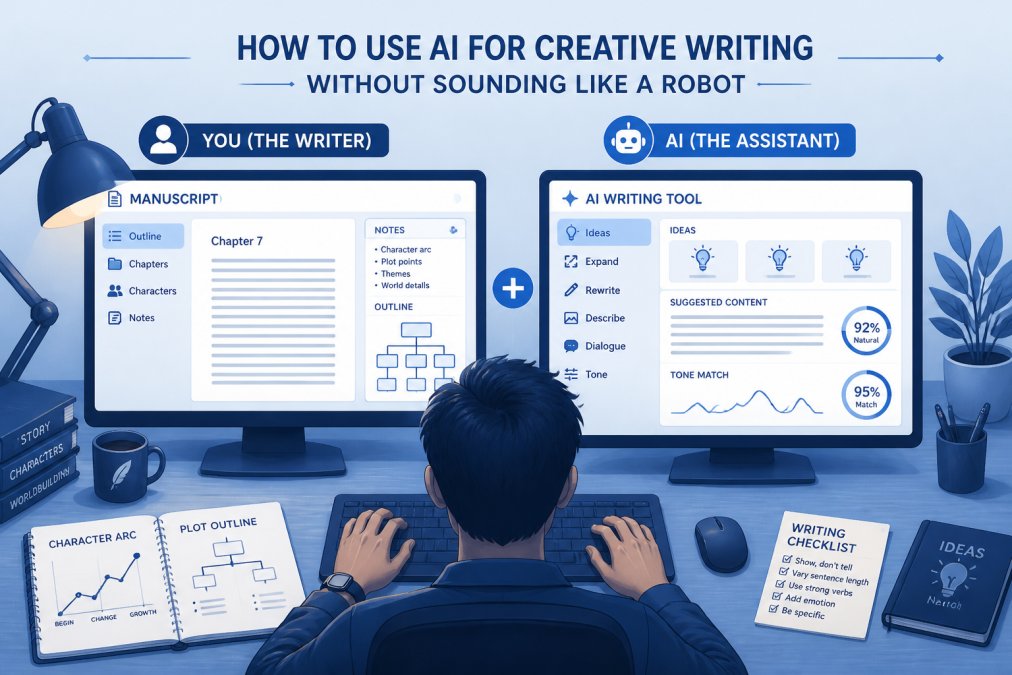
The real secret is this: AI is a tool. Like any tool, you get better results when you know how to use it. A hammer in the hands of someone who's never built anything produces bad results. A hammer in the hands of a carpenter produces a house. The same is true for AI writing tools.
AI Writing Tools With Long-Form Memory for Book Series
If you're writing a series, long-form memory is non-negotiable. This feature separates tools built for novelists from tools built for everyone else.
Most AI tools have a context window, think of it like short-term memory. Imagine telling a story to a friend, but they can only remember the last 30 seconds of what you said. They'll miss details. They'll forget character names. They'll contradict things you said earlier. That's what happens with general-purpose AI tools when you're writing a book series.
General-purpose AI tools like ChatGPT have large context windows by regular standards, but they're still too small for a novel. You can't feed it your entire 60,000-word first book and ask it to write book two while remembering everything. It will forget that your main character has a scar on their left hand. It will lose track of which secondary character died in book one. It will contradict earlier decisions about your magic system.
Tools built for novelists solve this differently. Instead of relying on one giant memory, they use a memory system like a character sheet or world-building bible. The AI learns your characters, your world, your rules, and your voice. It stores that knowledge in a database. When you're writing book two, it pulls from that database automatically.
How Series Memory Works in Practice
Step 1: You write book one. As you generate chapters and edit them, you're building a knowledge base. The tool learns who your characters are, what they sound like, what they want, and what they're afraid of. It learns your world, the rules, the geography, the history, the technology level. It learns your voice, your sentence rhythms, your word choices, your style.
Step 2: You finish book one and move to book two. The tool already knows everything. You don't have to re-introduce your main character. You don't have to re-explain your magic system. You don't have to remind the AI of the plot threads left hanging at the end of book one.
Step 3: You write a scene in book two. You tell the AI: "Write a scene where Marcus confronts his sister about the secret she's been keeping since book one. He's angry but trying to stay calm. They're in the family kitchen. It's early morning." The AI generates the scene. Because it has series memory, Marcus sounds like Marcus. He references things that happened in book one. His sister's dialogue is consistent with how she spoke before. The kitchen details match what you established earlier.
Step 4: You edit and move forward. You read the scene, fix what doesn't work, keep what does. The memory system keeps building.
What Series Memory Actually Stores
Series memory is a database of everything important about your story:
- Character profiles: Full names, nicknames, age, physical description, personality traits, speech patterns, fears, desires, relationships to other characters, and how they've changed from book one to book two
- World-building rules: Magic systems and how they work, technology levels, geography and maps, social structures, history and backstory, religions and belief systems, laws and customs
- Plot threads: Major conflicts from book one, which ones are resolved and which ones carry into book two, secondary storylines that need payoff, character arcs that span multiple books
- Your unique voice: Sentence structure preferences, word choices you use and avoid, pacing style, how you handle dialogue, how you describe action versus emotion
- Recurring elements: Themes that run through your series, symbols or motifs that appear repeatedly, running jokes or callbacks, emotional beats that matter to your story
A Concrete Example: How Series Memory Prevents Continuity Errors
You're writing a fantasy series. Your main character is Kira. She has red hair, a sarcastic sense of humor, and a deep fear of heights. In book one, she discovers she can use magic, but only when she's emotionally honest. By the end of book one, she's made peace with her past and is ready to lead.
Without series memory, the AI generates text where Kira sounds generic. She might have brown hair in one paragraph and red hair in another. Her sarcasm might disappear. She might use magic without the emotional honesty requirement from book one. Dax might be fully healed when you established he'd have a permanent limp. You'd have to rewrite most of it.
With series memory, the same prompt generates text where Kira's red hair is mentioned naturally, her sarcasm comes through in dialogue, her magic use is tied to her emotional state, Dax's limp affects how he moves, and references to book one feel earned. You still edit, but you're editing for story and style, not for continuity errors.
Why Most AI Tools Don't Have This
Building series memory is expensive and complicated. It requires the tool to understand not just how to generate text, but how to organize and retrieve information about a specific story. Most AI tools are built to generate text quickly and cheaply. Tools built for marketing or general writing don't need series memory. But a novelist does. That's why series memory is a feature you'll find in tools built specifically for authors.
How to Use Series Memory Effectively
Feed it your voice early. Upload writing samples or your backlist before you start book one. The more it knows about how you write, the better it matches your voice throughout the series.
Be consistent with character details. When you introduce a character, describe them the same way each time. Consistency in your input leads to consistency in the output.
Update the memory as your story evolves. If a character changes significantly, let the tool know. "Kira is now more confident and less sarcastic" or "Dax's injury has healed but he still has nightmares." The memory system works better when it's current.
Use it for continuity checks. Before you write a major scene, ask the AI to summarize what it knows about a character or plot thread. If it gets something wrong, you know you need to clarify it.
Don't rely on it for everything. Series memory is a helper, not your only source of truth. Keep a character bible. Keep a timeline. Keep a world-building document.
Free vs. Paid AI Writing Tools: What's the Real Difference?
Many AI writing tools offer free tiers. Some are genuinely useful for authors. Others are so limited that they're barely worth your time. The question isn't just "Is there a free option?" It's "Will the free option actually let me finish my book?"
The difference between free and paid usually comes down to three things: how much you can generate, how good the output is, and what features you get access to. The real difference is whether the tool will support your entire writing project or just let you test it.
How Free Tiers Actually Work
Free tiers typically give you a limited number of words per month. You might get a certain number of words free, then have to pay for more. Some free tiers let you try basic writing features but lock away advanced features like series memory, genre tuning, or the humanizer.
Word limits can make it challenging to complete a full novel. If you're writing a 60,000-word novel, you're looking at 20 to 30 chapters. Depending on the free tier's limits, it could take a significant amount of time to finish one book using only the free tier.
Unlimited words (with a catch) is what some tools advertise. The catch is usually that unlimited applies only to the basic writing feature. Advanced features like series memory, genre tuning, or the humanizer might still be locked behind paid tiers.
Free vs. Paid: The Real Trade-Offs
Free tier benefits:
- You can test the tool before committing money
- You can write a short story or novella without paying
- You can experiment with prompts and learn how the tool works
Free tier limitations:
- Word limits force you to choose between writing and experimenting
- Advanced features are locked away
- Output quality might be lower
- Support is minimal or nonexistent
- You might hit your monthly limit mid-chapter and have to wait
Paid tier benefits:
- No word limits (or very high limits)
- Access to all features including series memory and humanizer
- Higher quality output
- Priority support if something breaks
- You can write multiple books per month without worrying about limits
Paid tier limitations:
- You're paying whether you use it or not
- If you stop writing, you're still paying
- Some tools have long-term contracts or auto-renewal
When Free Makes Sense
Free is worth trying if you're just starting out, writing a short story or novella, testing multiple tools, writing very slowly, or only using the tool for brainstorming.
When Paid Becomes Necessary
Paid makes sense if you're writing a full novel, writing a series, needing advanced features, wanting to edit and revise, writing on a deadline, or if writing is your job or a major part of your income.
The Hidden Cost of Free
Free tiers have a hidden cost: your time. When you hit your monthly word limit mid-chapter, you have to stop. You lose momentum. You might forget what you were writing. You have to get back into the headspace of the scene. That costs time and mental energy.
If a paid tier saves you time, you're actually saving money. Your time is worth something.
How to Decide: A Simple Framework
Ask yourself these questions:
How many words will I write this month? If it's under your free tier's limit, free works. If it's over, you need paid.
Do I need advanced features? If yes, you need paid. If no, free might work.
How much is my time worth? If a paid tier saves you time per month, is it worth the cost?
Am I serious about finishing this book? If yes, paid removes obstacles. If you're just experimenting, free is fine.
Can I afford to wait? If you hit your monthly limit and have to wait for the reset, will that kill your momentum?
Most serious authors move from free to paid within a few weeks. The free tier is useful for testing, but it's too limiting for actual novel writing.
AI Detection: Will Your Book Get Flagged?
Amazon and other platforms are getting better at detecting AI-generated content. Some authors worry that if they use AI to write their book, it will get flagged and rejected.
The honest answer is: it depends on how you use the tool and how much you edit.
If you generate text with AI and publish it as-is without editing, it's more likely to get flagged. AI-generated text has patterns that detection tools can identify. Repetitive sentence structures. Certain word choices. Paragraph rhythms that feel slightly off.
If you generate text with AI and then edit it, rewrite sentences, change word choices, and adjust pacing, it becomes much harder to detect. You're making it your own.
This is where the humanizer feature matters. A good humanizer rewrites AI-generated prose to sound more natural, more varied, and more human. It breaks up repetitive patterns. It changes sentence structures. It adjusts word choices. The result is text that's harder to flag as AI-generated.
ShakespeareAI includes a built-in humanizer for this reason. You generate a chapter, run it through the humanizer, and get back prose that sounds more human. Then you edit it. By the time you publish, it's your work, written with AI assistance, but genuinely yours.
Workflow Integration: AI Tools That Work With Your Writing Software
You probably already use software to write. Maybe it's Scrivener. Maybe it's Word. Maybe it's Google Docs. Whatever it is, you have a workflow that works for you.
A good AI writing tool integrates into that workflow instead of forcing you to work in a new way. You don't want to write in ShakespeareAI, then copy-paste into Scrivener, then format in Word. You want to write where you normally write and use AI as a helper.
Some AI tools integrate directly with popular writing software. Some tools may offer plugins or direct integrations with popular writing software.
ShakespeareAI works differently. You can draft in ShakespeareAI, then export to PDF or EPUB for publishing. Or you can generate text in ShakespeareAI and copy-paste it into Scrivener for organization and final editing. It's flexible. You work how you want to work.
The key is this: the tool should adapt to your workflow, not the other way around. If a tool forces you to change how you write, it's adding friction, not removing it.
Who Should Pick Which Tool: A Decision Framework
Different tools are built for different purposes. Here's how to figure out which one fits your needs:
Are you writing a series or standalone novel?
- Series: ShakespeareAI (series memory is essential)
- Standalone: Any tool works, but ShakespeareAI still excels
Do you need the AI to sound like you?
- Yes: ShakespeareAI (voice training on your backlist)
- No: Consider other tools that may not offer this feature
Are you worried about AI detection?
- Yes: ShakespeareAI (built-in humanizer)
- No: Any tool
Do you need editing help or drafting help?
- Editing: Consider tools focused on editing and style refinement
- Drafting: ShakespeareAI or other drafting-focused AI tools
Do you use Scrivener or another specific writing software?
- Yes, and integration matters: Consider tools that integrate directly
- No, or you're flexible: ShakespeareAI (flexible export options)
Common Mistakes Authors Make With AI Writing Tools
Knowing what not to do is as important as knowing what to do.
Mistake 1: Expecting the AI to write your whole book perfectly on the first try. It won't. AI is a draft generator, not a finished-book generator. You generate text, you edit it, you rewrite it. If you expect to generate a chapter and publish it as-is, you'll be disappointed.
Mistake 2: Not training the AI on your voice. If you don't feed the AI samples of your writing, it has no idea how you sound. It generates generic text. Spend time at the start training the AI on your backlist. That investment pays off in every chapter you generate afterward.
Mistake 3: Using the same prompt for every scene. "Write the next scene" is too vague. Specific prompts generate better text. Tell the AI what happens, who's in the scene, what the emotional tone is, what the setting looks like. More detail equals better output.
Mistake 4: Ignoring the humanizer. If AI-generated text sounds too robotic, use the humanizer. It rewrites prose to sound more natural without changing the meaning.
Mistake 5: Not editing. Editing is not optional. You generate text, you read it, you fix it. This is how you turn AI-generated drafts into your published work. The editing step is where you make it yours.
Mistake 6: Trying to use a marketing tool for fiction. Some tools are great for marketing copy. They may not be great for novels. Use a tool designed for your specific need.
Mistake 7: Assuming all AI output is equally detectable. It's not. Text generated by a tool with a humanizer and then edited by you is much harder to detect than raw AI output. The work you put in matters.
Writing a novel is one of the hardest creative projects you can undertake. Most people who start never finish. The barrier isn't talent. It's time, focus, and the mental stamina to keep going when the project feels impossible.
AI writing tools exist to remove one specific barrier: the blank page. They give you a way to generate a first draft faster, so you can spend your energy on editing, refining, and making the story truly yours. ShakespeareAI is built specifically for this. With series memory that keeps your characters consistent, genre tuning that matches your story's conventions, and a humanizer that makes prose sound genuinely human, it's designed for authors who want to finish their book. Try ShakespeareAI free and see how fast you can move from idea to finished manuscript.
Frequently Asked Questions
What makes the best AI for novel writing different from ChatGPT?
The best AI for novel writing is built specifically for long stories. It remembers your characters, keeps their voices the same across chapters, and understands story structure. ChatGPT works for short text but gets confused in long books because it forgets details. Novel-specific AI has bigger memory windows and genre-tuning that ChatGPT doesn't offer. Some tools like ShakespeareAI let you train the AI on your own writing style so it sounds like you, not like a generic AI.
How do I use AI for creative writing without making it sound fake?
Start by giving your AI clear instructions about tone, pacing, and character voice. The best approach is to use AI for drafting and structure, then rewrite sections yourself to add your personality. Tools with humanizer features help catch robotic phrasing. Train the AI on your own backlist if possible, so it learns your style. Edit the output like you would any first draft. AI works best when you treat it as a writing partner, not a replacement.
What's the difference between AI writing tools with long-form memory and regular AI?
Long-form memory means the AI remembers everything from your entire book, not just the last few paragraphs. Regular AI forgets earlier chapters, so characters change personality or plot holes appear. Long-form memory tools maintain consistency across 40,000+ word manuscripts and entire series. This is critical for fantasy, mystery, and series fiction where readers notice when a character acts different or a detail contradicts earlier chapters. ShakespeareAI's series memory specifically tracks characters across multiple books.
Will Amazon KDP reject my book if it's written with AI?
Amazon doesn't ban AI-written books, but they do flag low-quality content. Your book won't get rejected just for using AI. What matters is output quality and whether it passes AI detection software. Tools with built-in humanizers help your manuscript read like human writing. The real risk is flooding the market with low-quality AI books that don't sell. High-quality AI-assisted books that you've edited and polished perform fine on Amazon KDP.